VISUAL HOMEOWNER GUIDE · DIAGNOSTICS
Prepare useful information for an HVAC service inquiry
A clear symptom history, rating-plate photo and displayed fault information can make the first conversation more productive. They do not replace on-site testing.
- 1
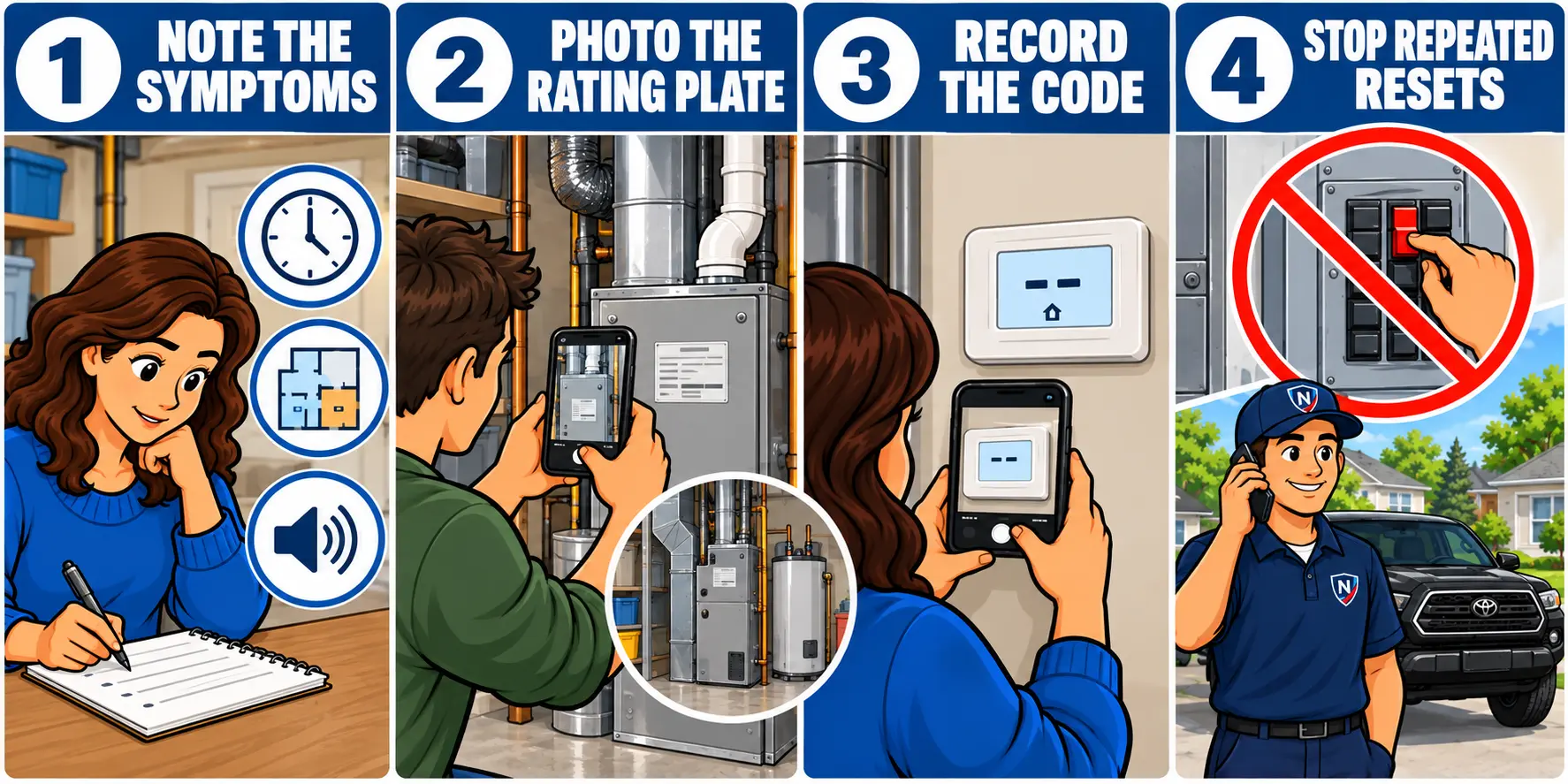
Describe the symptom
Note what happens, when it began, whether it is constant or intermittent and which rooms or fixtures are affected.
- 2
Photograph the rating plate
Capture the full model and serial number without removing panels or reaching near moving or energized components.
- 3
Record displayed information
Photograph the thermostat message or externally visible fault code before power is interrupted.
- 4
Stop repeated resets
If the fault returns, leave the equipment off when safe to do so and request service. Repeated resets can erase useful information or worsen a condition.
Include access details with the inquiry. Mention occupancy, parking or building-access requirements and whether another technician has already diagnosed or condemned the equipment.
OBSERVE · DOCUMENT · REQUEST SERVICE
Ready to describe the concern?
NorthShieldClimate Inc. serves Toronto and the GTA with direct communication, careful workmanship and clear next steps for every inquiry.