VISUAL HOMEOWNER GUIDE · THERMOSTAT
Check the thermostat before requesting furnace service
These non-invasive checks can rule out a simple control-setting issue. They do not diagnose the furnace itself.
- 1
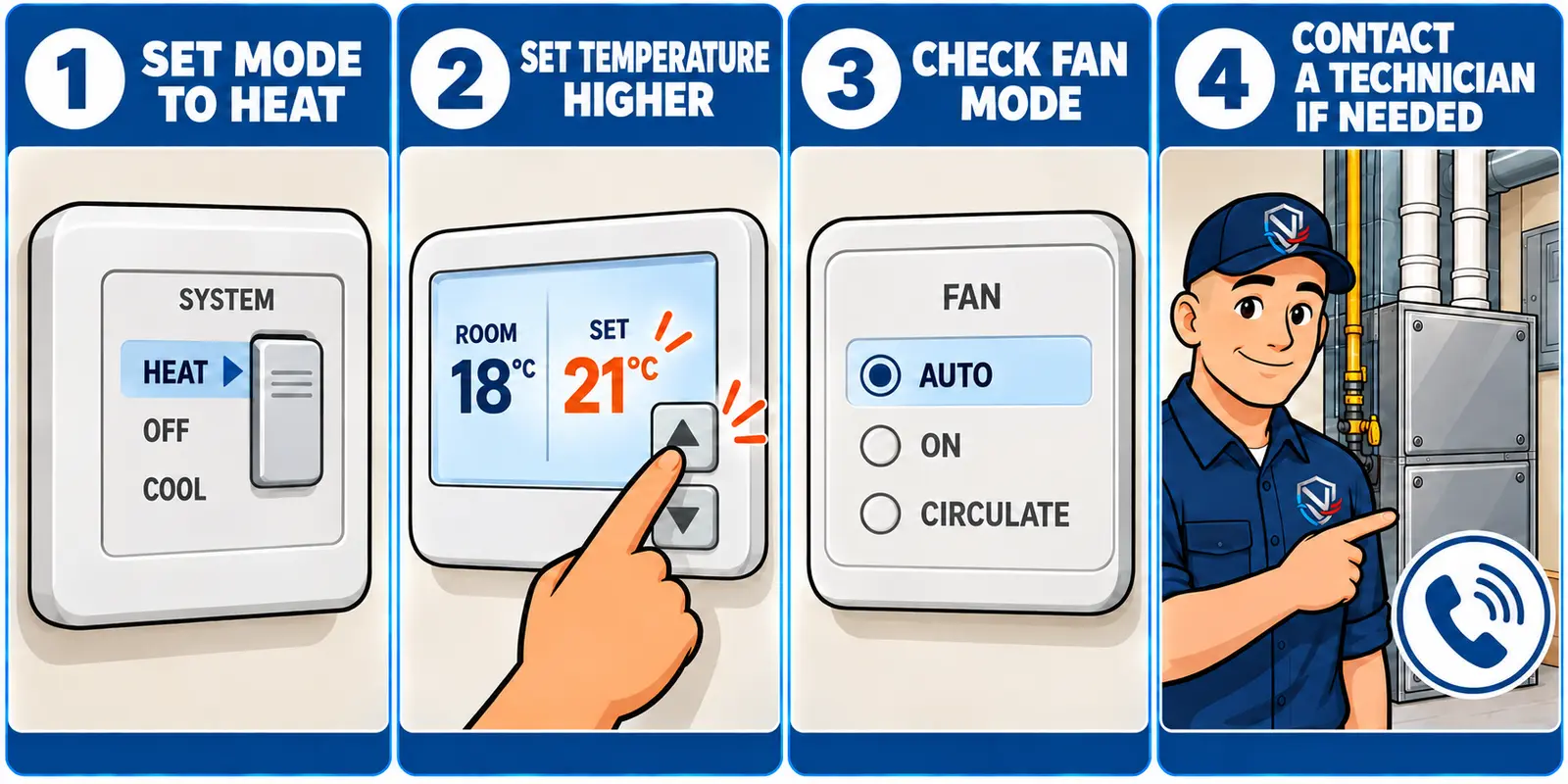
Select Heat
Set the thermostat’s system or mode control to Heat. Do not select Emergency Heat unless the equipment manufacturer or a qualified technician has told you to use it.
- 2
Raise the set temperature
Set the target temperature about 2–3°C above the displayed room temperature. This creates a clear call for heat.
- 3
Check the fan mode
Auto is the normal setting for most systems. On can help confirm that the indoor blower moves air, but it does not prove the furnace is producing heat. Some thermostats also show Circulate.
- 4
Observe without opening equipment
Allow several minutes for the heating cycle to begin. Note any message, blank display, unusual sound or repeated start-and-stop pattern.
What this check can tell you: whether the thermostat is visibly calling for heat and whether an incorrect mode may be involved. It cannot confirm that the furnace, wiring or controls are operating correctly.
CLEAR NEXT STEPS
Need help with a no-heat concern?
NorthShieldClimate Inc. is a TSSA-registered Heating Fuels Contractor (FS-R-53731) serving Toronto and the GTA, with direct communication, careful workmanship, and clear next steps for every inquiry.